


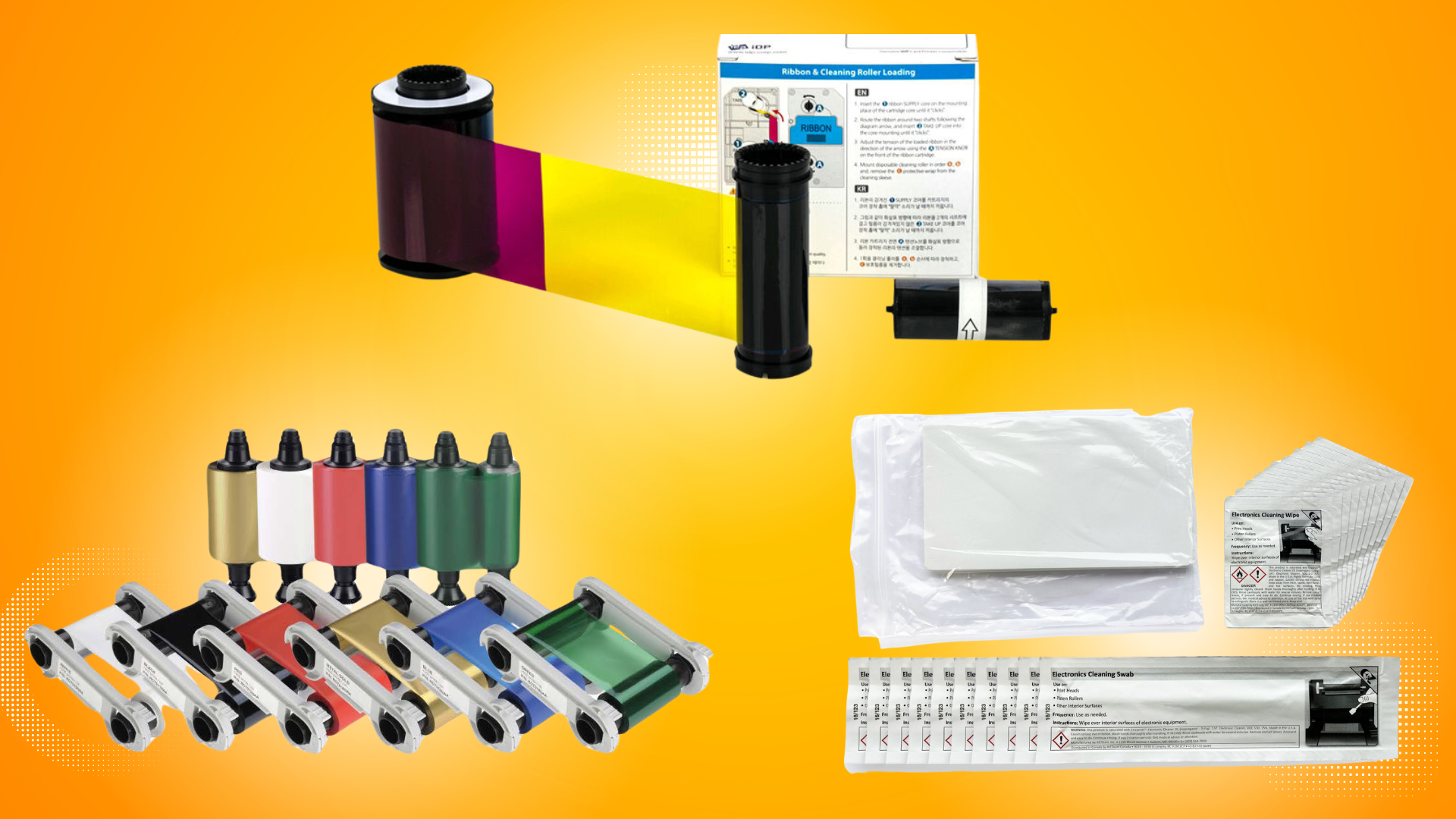
ID card printers are essential tools for many businesses, schools, and organizations, providing secure, professional identification cards. However, like any complex piece of equipment, an ID card printer requires regular care to ensure it performs at its best. One crucial component of printer maintenance is the handling of consumables—ribbons, cards, cleaning kits, and more. Using and storing these materials properly can prolong the life of your printer, improve the quality of your cards, and reduce the risk of costly errors. Here are the best practices for handling ID card printer consumables.
1. Store Consumables in a Controlled Environment
ID card printer consumables, such as ribbons and cards, are sensitive to environmental conditions. Exposure to extreme heat, humidity, or direct sunlight can damage these materials, leading to poor print quality or even damage to your printer. To maintain optimal performance, it’s essential to store consumables in a cool, dry place. Avoid storing them near windows, heaters, or air conditioners, as temperature fluctuations can cause materials to warp or degrade.
2. Handle Ribbons Carefully
Ribbons are one of the most important consumables in your ID card printer, and they require careful handling to ensure proper printing. Follow these tips to keep your ribbons in top condition:
- Store in Original Packaging: Keep ribbons in their original packaging until you’re ready to use them to prevent exposure to light or dust.
- Avoid Touching the Ribbon: When inserting or replacing ribbons, avoid touching the surface to prevent oils and dirt from transferring onto the ribbon. This can cause printhead damage and affect the quality of your prints.
- Keep Ribbons Away from Static: Ribbons are susceptible to static, which can cause poor print quality or damage to your printer. Handle them in a low-static environment and avoid wearing synthetic clothing or using plastic containers when handling ribbons.
3. Choose the Right Cards for Your Printer
Using the correct type of cards is critical to ensuring the longevity of your printer and achieving high-quality prints. Always check the specifications for your printer and use the recommended type of cards. Whether you’re using PVC, composite, or retransfer cards, they must be compatible with your printer’s specifications.
- Quality Matters: Low-quality or non-standard cards can result in poor print quality and may even cause printer malfunctions. Always purchase cards from reputable suppliers to ensure you’re getting the correct material for your printer.
- Store Cards Properly: Just like ribbons, cards should be stored in a controlled environment, away from direct sunlight and humidity. Cards that have been exposed to extreme temperatures or moisture may result in poor prints and damage to your printhead.
4. Use Cleaning Kits Regularly
Regular cleaning of your ID card printer is essential for maintaining the print quality and preventing damage. Printer cleaning kits, which include cleaning cards, swabs, and wipes, are specially designed to help maintain the printhead, rollers, and other components. Here’s how to handle cleaning kits:
- Follow Manufacturer Instructions: Always follow the manufacturer’s instructions for cleaning your printer. Using the wrong cleaning products or methods can damage your printer.
- Regular Cleaning Schedule: Depending on how often you print, establish a regular cleaning schedule. If you’re printing large volumes, you may need to clean your printer more frequently. For most businesses, cleaning the printhead every few hundred prints or monthly is a good rule of thumb.
- Keep Cleaning Materials Separate: Make sure cleaning kits are stored separately from ribbons and cards to avoid cross-contamination. For example, avoid using cleaning wipes that may have been exposed to dust or other contaminants.
5. Monitor and Replace Consumables When Necessary
Regularly monitoring the condition of your consumables and replacing them when necessary is crucial for keeping your ID card printer in optimal condition. Running out of cards or ribbons mid-print job can cause delays, and using expired consumables can damage your printer. Keep an eye on the following:
- Ribbon Life: Most printers have a counter or indicator that shows how much ribbon is left. Be sure to replace the ribbon before it runs out to avoid incomplete prints.
- Card Count: Like ribbons, it’s important to keep track of how many cards are in your supply. Running out of cards during a print job can cause interruptions, so it’s wise to reorder before you run out.
- Cleaning Supplies: Ensure that you have enough cleaning materials on hand, especially if your printer is used frequently. Replacing worn-out cleaning kits will help keep the printer running smoothly and prevent damage to the printhead.
6. Dispose of Consumables Properly
When it’s time to dispose of consumables like ribbons or cleaning materials, it’s important to do so responsibly. Many printer ribbons and other consumables are recyclable, but always check with your local recycling program to ensure proper disposal methods. Some manufacturers also offer take-back programs, allowing you to send back used ribbons or other materials for recycling.
7. Train Your Team
If multiple employees are using the printer, make sure to provide proper training on how to handle consumables. This includes how to load ribbons and cards correctly, how to perform basic maintenance, and how to spot when consumables need to be replaced. Proper training can help prevent mistakes and increase the efficiency of your card printing operation.
Contact us today
Handling your ID card printer consumables with care is key to ensuring that your printer operates efficiently and that your ID cards maintain their high quality. By storing materials properly, following manufacturer guidelines for cleaning, and keeping track of your consumables, you can prevent costly printer issues, improve your card printing experience, and extend the life of your printer. With proper handling, your ID card printer will continue to serve your business effectively for years to come. Contact us today if you still have more questions about your consumables.